
Vehicle mileage totals and export
What this does
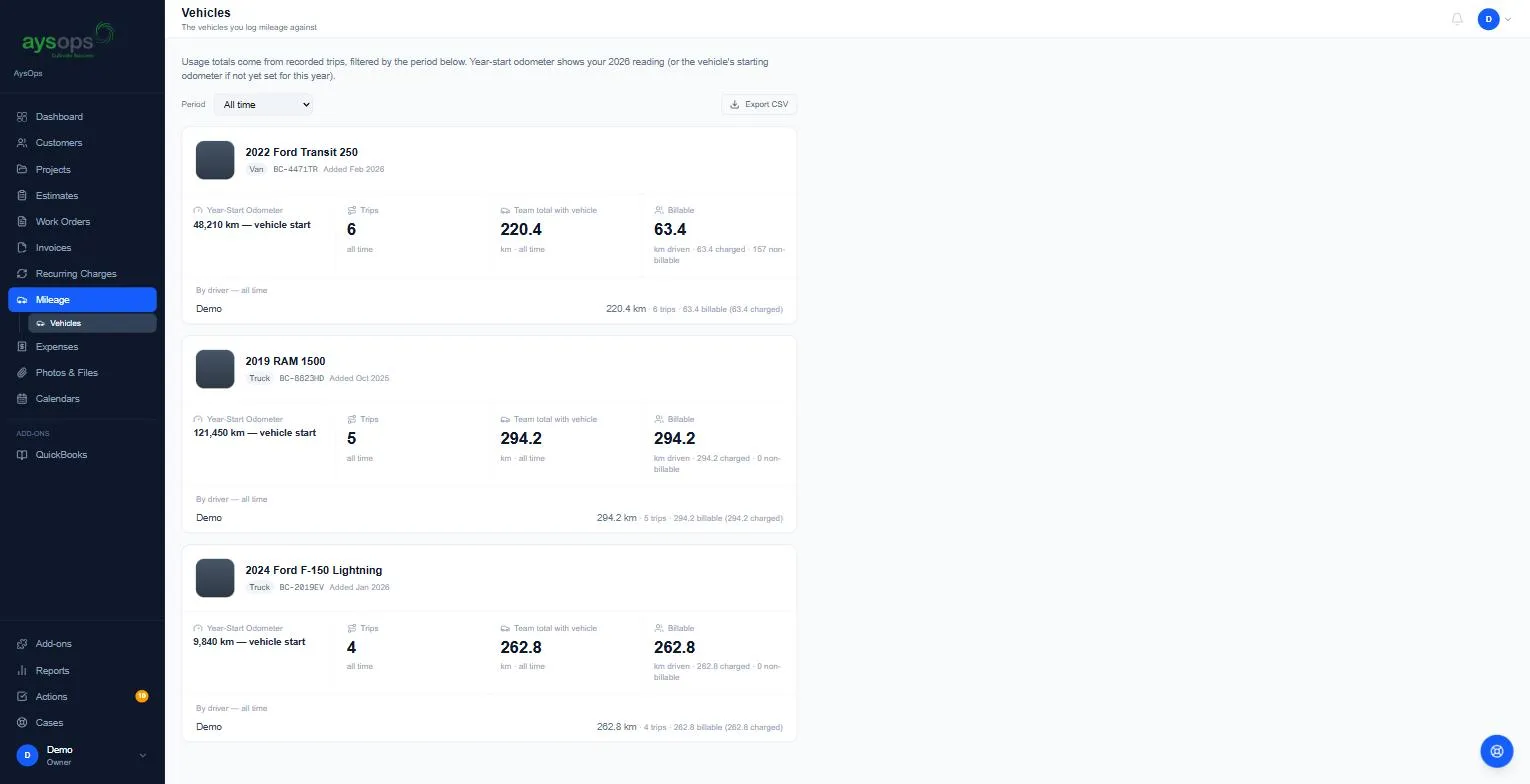
Section titled “What this does”Shows how far each vehicle has been driven, how much of that was billable, and who drove it, for any period, and lets you download it for your records or your accountant.
- Click Mileage → Vehicles in the left menu.
- Choose a Period: All time, This month, the current year (for example 2026) or Custom range….
- Each vehicle shows:
- Year-Start Odometer: this year’s starting reading (or the vehicle’s starting reading if none was set for this year),
- Trips and Team total with vehicle (distance),
- Billable: distance driven on billable trips, how much was charged, and the non-billable rest,
- By driver: each person’s distance, trips and billable distance.
- Click Export CSV to download the figures for the chosen period.
Related articles
Section titled “Related articles”mileage report, vehicle totals, kilometres per vehicle, year-start odometer, billable km, export mileage, CSV, CRA log, tax mileage log, by driver