
Convert a work order to an invoice
What this does
Section titled “What this does”Turns a finished job into an invoice that’s ready to send. The work order’s lines, taxes, discounts and any paid deposit carry over. Nothing goes to the customer yet: you send it in a separate step.
Before you start
Section titled “Before you start”Convert to Invoice is only available when:
- the work order has at least one line (“Add at least one line item before converting to an invoice”),
- every time line is committed: while one isn’t, you’ll see an amber In Progress label instead (see Track time), and
- any deposit has been paid (“Collect or mark the deposit paid before converting this work order to an invoice”).
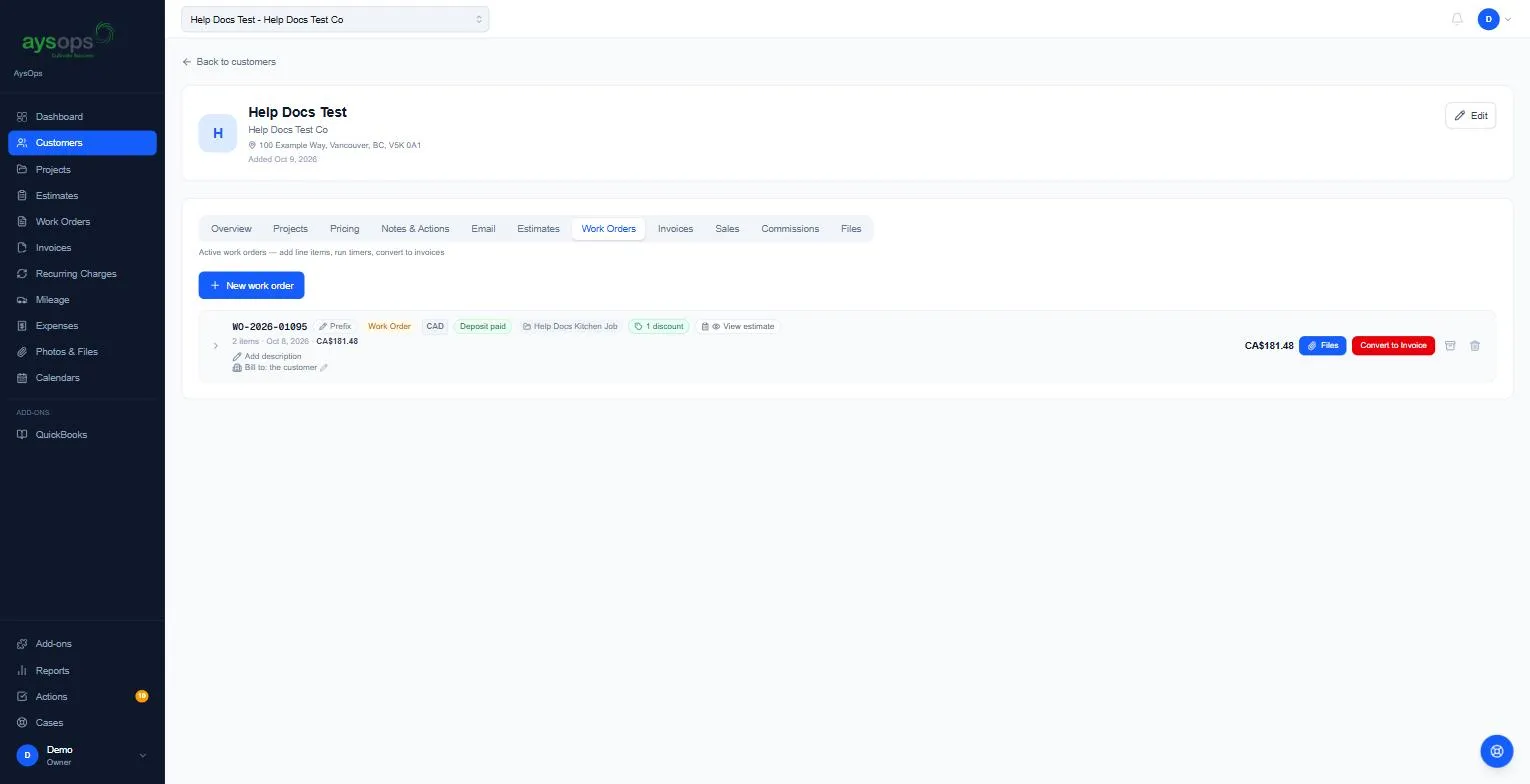
- Open the work order and click Convert to Invoice (red button).
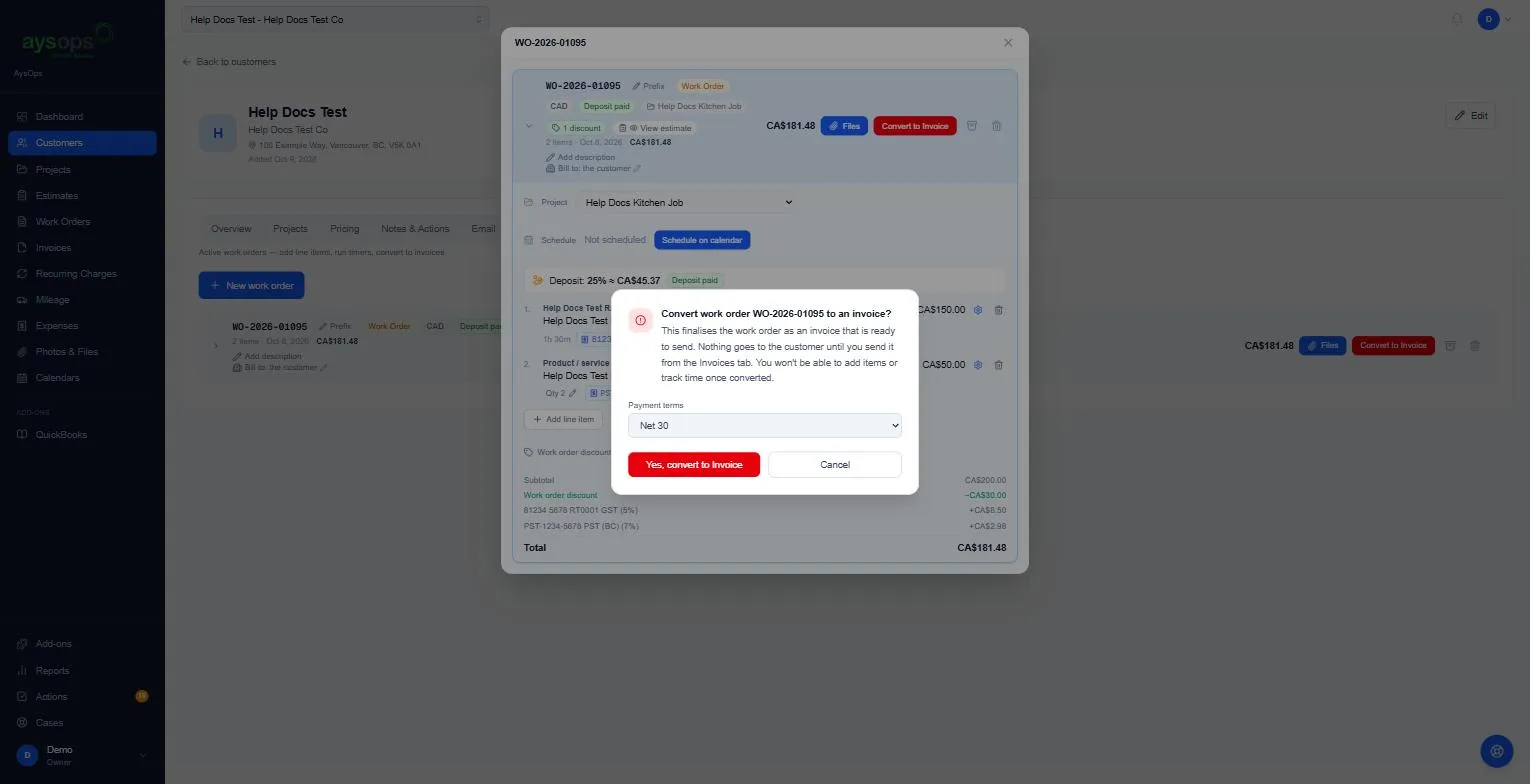
- Read the box, “Convert work order WO-… to an invoice?”. It explains that nothing goes to the customer until you send it, and that you can’t add items or track time afterwards.
- Choose the Payment terms: Due on Receipt, Net 15, Net 30, Net 60 or Custom (days). It starts on your default (see Invoice settings).
- Click Yes, convert to Invoice.
What happens next
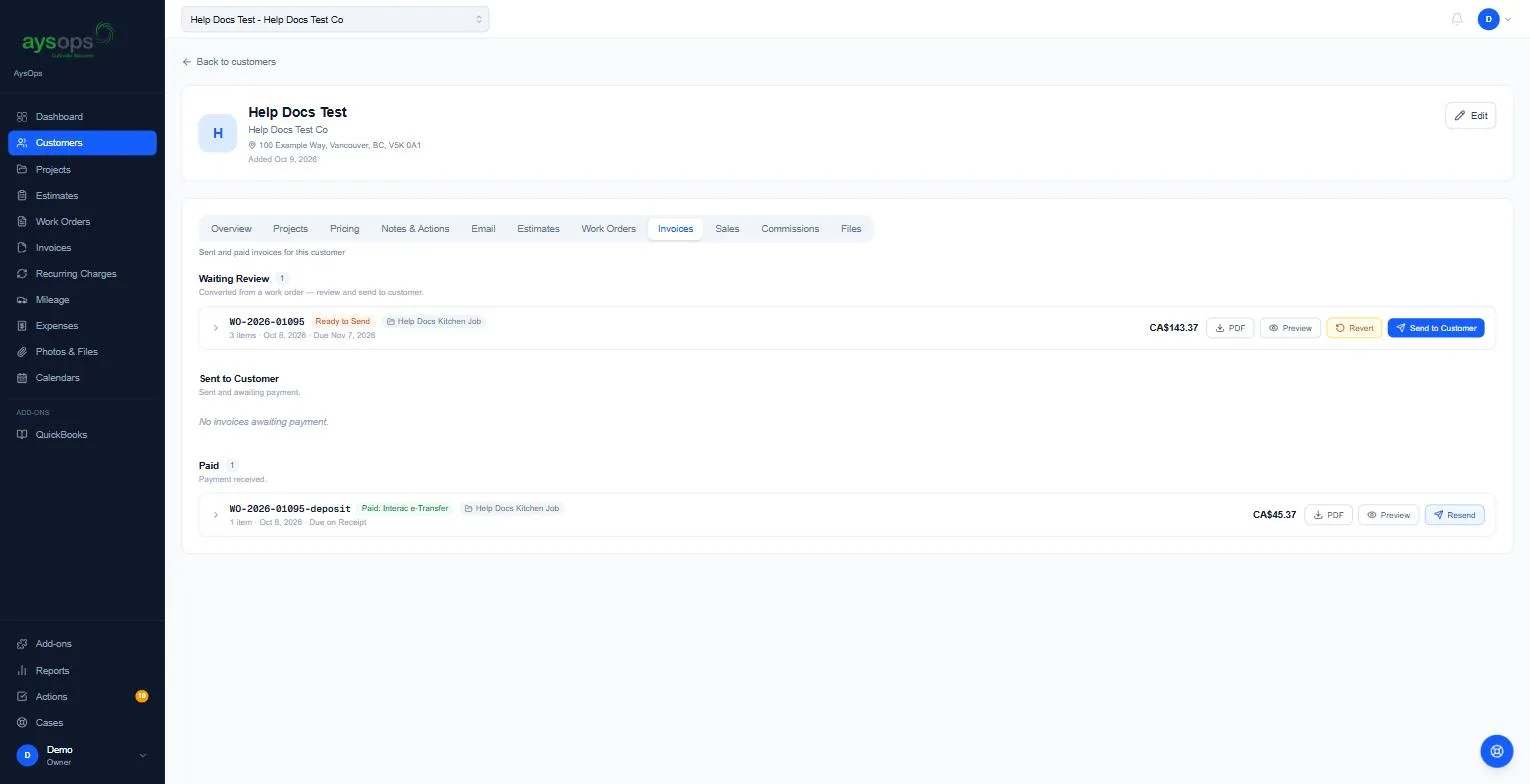
Section titled “What happens next”- The work order leaves the Work Orders list. Open the customer’s Invoices tab: the invoice is under Waiting Review with the label Ready to Send, keeping the same number.
- It has PDF, Preview, Revert and Send to Customer buttons. See Send an invoice.
- If a deposit was paid, the invoice has a Deposit paid line taking it off. Any discount on the quote still applies to the full price of the work, so what is left to pay is exactly the approved total minus the deposit.
Changed your mind? Revert
Section titled “Changed your mind? Revert”While the invoice is still Ready to Send (not sent), click Revert, then Yes, revert to work order. It goes back to the Work Orders tab so you can change it. The payment terms are cleared, converting again re-dates the invoice to that day, the number stays the same, and nothing is sent to the customer.
Once an invoice has been sent it can’t be reverted: “This invoice has been sent to the customer, it can no longer be reverted to a work order.”
Related articles
Section titled “Related articles”convert to invoice, finish job, invoice the job, bill the customer, payment terms, net 30, due on receipt, revert, undo convert, ready to send, waiting review, In Progress