
The to-do list (Actions)
What this does
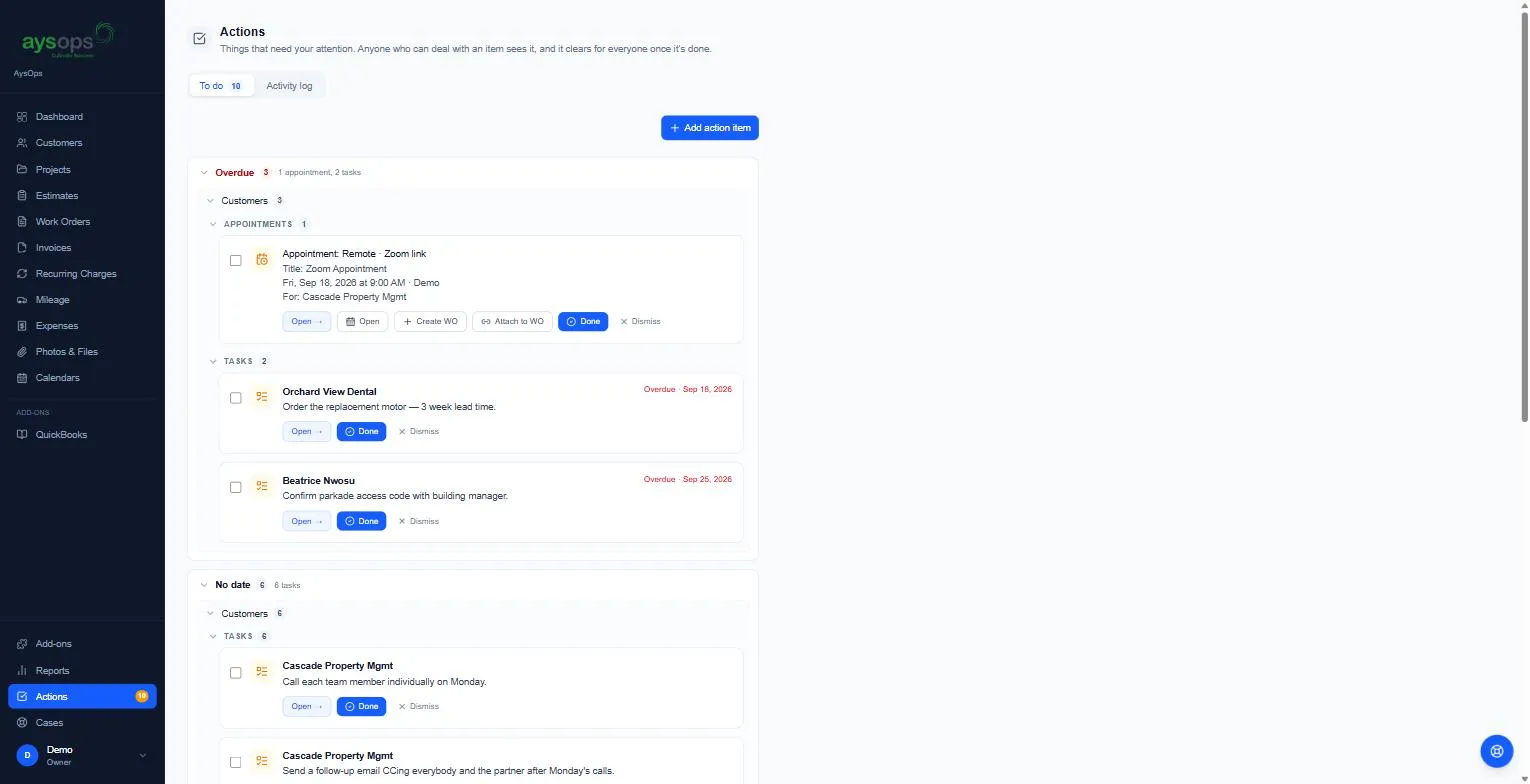
Section titled “What this does”Actions is one list of everything that needs attention: tasks you or a colleague added, customer follow-ups, today’s appointments, and alerts from AysOps (for example an add-on that isn’t finished setting up). The number beside Actions in the left menu is how many are open.
Anyone who can deal with an item sees it, and it clears for everyone once it’s done.
- Click Actions in the left menu (on a phone, tap Actions on the bar along the bottom). The To do tab is grouped by Overdue, No date, upcoming days, and System, and within those by customers, appointments and tasks. Click Look ahead 8 weeks to see further ahead.
Add a to-do
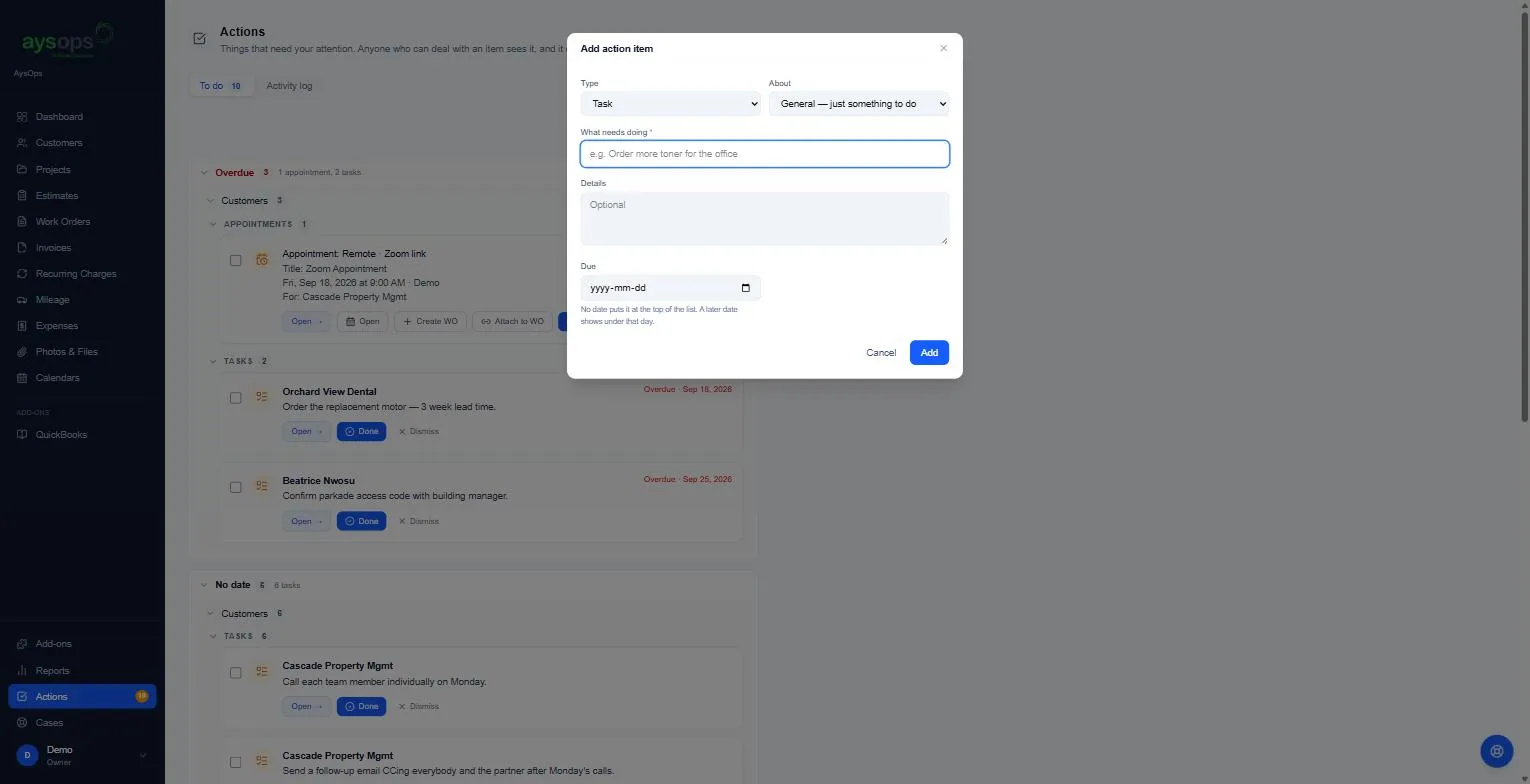
Section titled “Add a to-do”- Click Add action item and fill in:
- Type: Task, Phone call or Email.
- About: General (just something to do), A customer or A company project.
- What needs doing (required) and Details (optional).
- Due: leave blank to put it at the top of the list; a date shows it under that day.
- Assign to: Me (the default; only you see it on your to-do list), the whole team (everyone sees it, and whoever takes it presses I’m on it), or particular people (only they see it). Assign to is only shown with the Teams add-on and at least one other person on the team; otherwise the to-do is always yours.
- Click Add.
Work through items
Section titled “Work through items”- Open → goes to whatever the item is about.
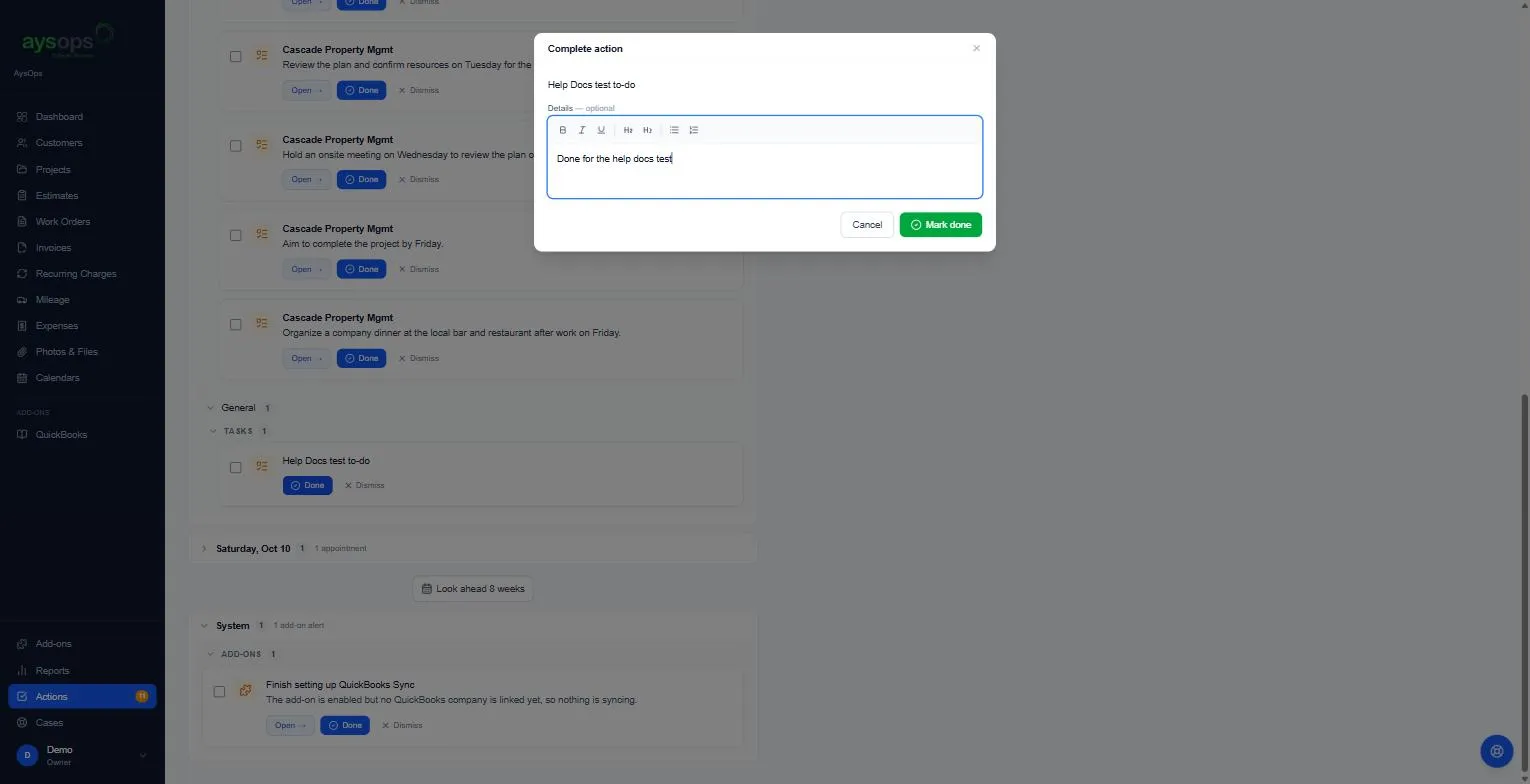
- Done opens Complete action: add optional Details (for example what was agreed on the call), then Mark done. For a customer’s item the details are saved as a note on that customer, and you can add a follow-up.
- Dismiss hides an item you don’t need to act on.
- For an appointment: Create WO makes a work order for it, Attach to WO links it to an existing one.
- On a team account, I’m on it tells your colleagues you’re handling it (“Currently being worked on by …”), and Hand back releases it. Anyone can still finish it.
- Tick several items to deal with them together.
Activity log
Section titled “Activity log”The Activity log tab is the account-wide record of what was done and by whom. Only owners and administrators see it.
Related articles
Section titled “Related articles”actions, to-do, todo, task list, action items, reminders, overdue, add a task, phone call task, email task, mark done, dismiss, I'm on it, hand back, create work order from appointment, activity log