
Stop, archive or delete a recurring charge
What this does
Section titled “What this does”- Stop ends automatic billing for a customer. No more invoices are created. Invoices already created aren’t affected, and the history is kept.
- Archive hides a recurring charge from your lists so it can’t be used again.
- Delete removes a charge that was never used.
Before you start
Section titled “Before you start”You need the Create & stop recurring charges permission (owners, admins and managers by default).
Stop automatic billing
Section titled “Stop automatic billing”- Click Recurring Charges in the left menu and click the charge to open it.
- Click Stop automatic charge.
- Confirm:
- No minimum, or the minimum is met: “Stop automatic charge? … will no longer be billed automatically to [customer]. Invoices already created are not affected.” Click Stop automatic charge.
- Before the minimum commitment: the box says Minimum length of time has not been met and shows how many charges were committed and made. Type a reason under Why are you stopping the automatic charge early? (required; for example “Customer cancelled service, waiving remaining commitment”), then click Stop automatic charge.
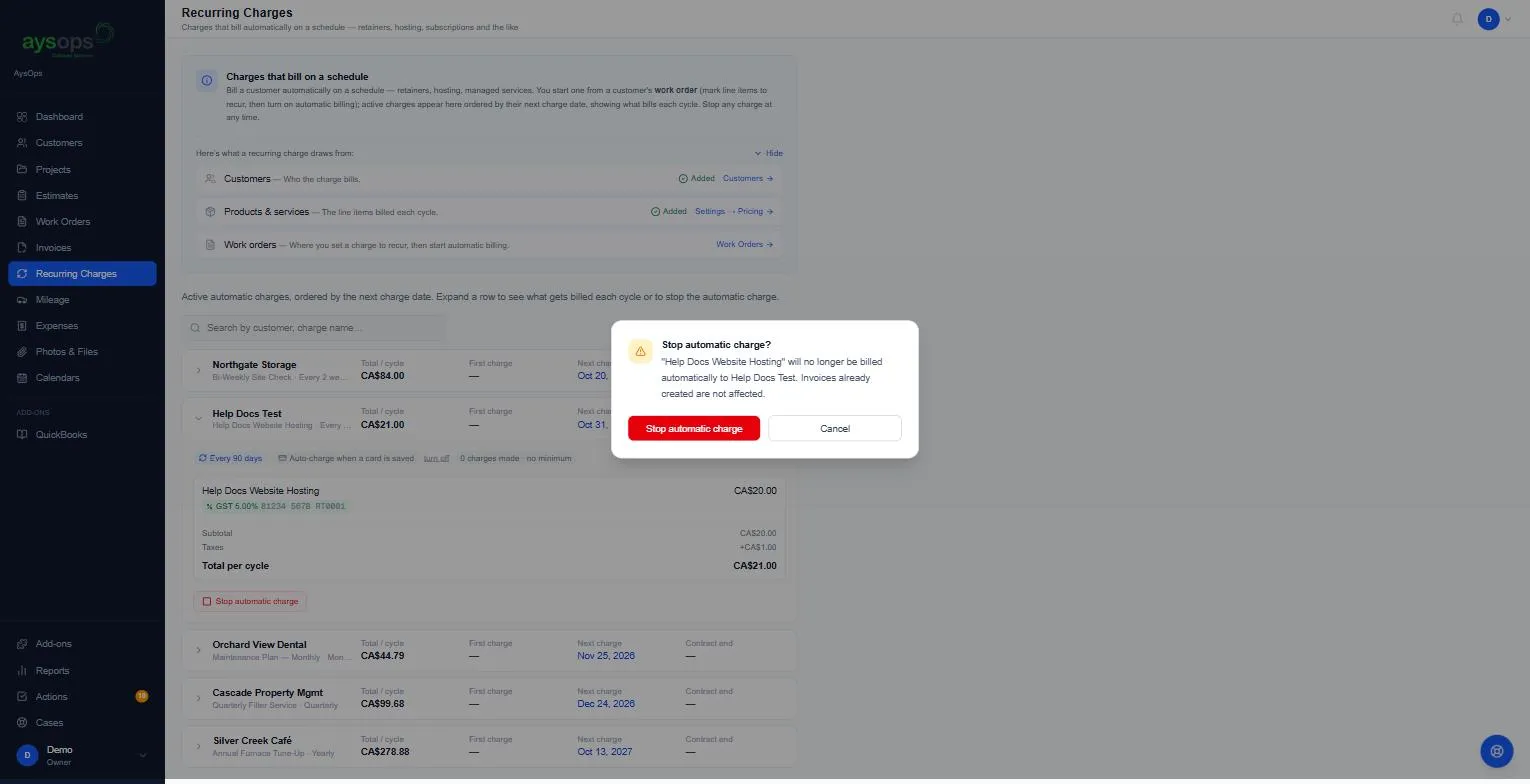
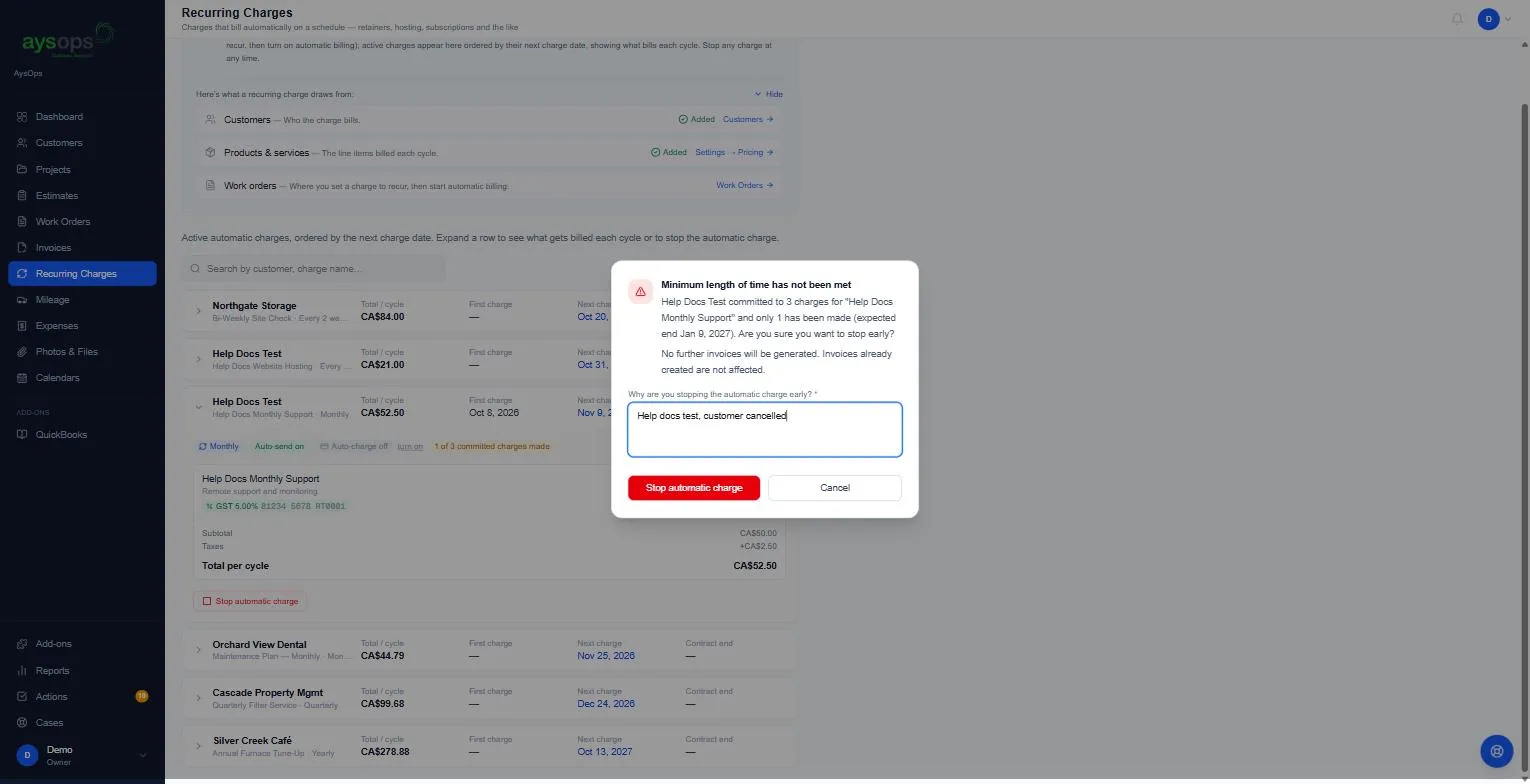
The charge leaves the Recurring Charges page. The reason is saved in the customer’s history.
Start billing again
Section titled “Start billing again”Add the charge to a new work order for the same customer and send the invoice. In Fill from recurring, pick the entry that starts with This customer’s own. That is their stopped charge. The entry without it is your company template, and picking it starts a second, separate charge. See Start recurring billing from a work order.
Archive or delete
Section titled “Archive or delete”Open the customer → Pricing → Recurring Charges (or Settings → Pricing → Recurring Charges) and use the icons on the right of the charge:
- Box (archive): hides it, and if it is billing a customer, it stops the automatic charge too. Click [number] archived under the list to see archived charges and Restore one. Restoring brings it back to the list but does not start billing again: see Start billing again above.
- Bin (delete): only for a charge that has never been used. A company-wide charge that has already been given to a customer (each customer gets their own copy) also counts as used. Otherwise: “This recurring charge is in use (billing history or documents reference it) and cannot be deleted. Archive it instead.”
If something goes wrong
Section titled “If something goes wrong”- “A reason is required when stopping before the minimum commitment is met.”: type a reason.
- “Automatic billing is not active on this charge.”: it’s already stopped.
Related articles
Section titled “Related articles”stop recurring, cancel subscription, cancel plan, end contract, stop billing, minimum commitment, early cancellation, archive recurring charge, delete recurring charge, restart billing