
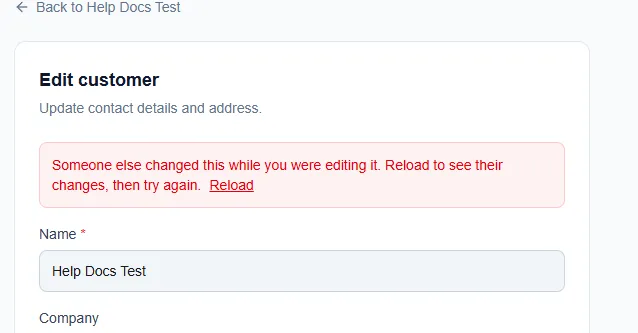
Someone else changed this while you were editing it
What it means
Section titled “What it means”The full message is: “Someone else changed this while you were editing it. Reload to see their changes, then try again.”
You and someone else (or you, in another browser tab) had the same record open, such as a customer, estimate or setting. They saved first. AysOps didn’t save your changes, so theirs weren’t silently overwritten.
What to do
Section titled “What to do”- Copy anything you typed that you don’t want to lose (select it, then copy).
- Click Reload at the end of the red message (or reload the page). You’ll see their changes.
- Make your changes again and save.
Avoid it
Section titled “Avoid it”Don’t leave a record open for editing in two tabs. If someone else on your team often edits the same records, agree who updates what.
Related articles
Section titled “Related articles”someone else changed this, reload, conflict, edit conflict, changes not saved, two people editing, save failed, record changed