
Invite a team member
What this does
Section titled “What this does”Gives a colleague their own sign-in to your company in AysOps, with just the access their job needs. Each person takes a seat; the seat’s monthly price depends on their licence.
Before you start
Section titled “Before you start”- Only owners and administrators can manage the team.
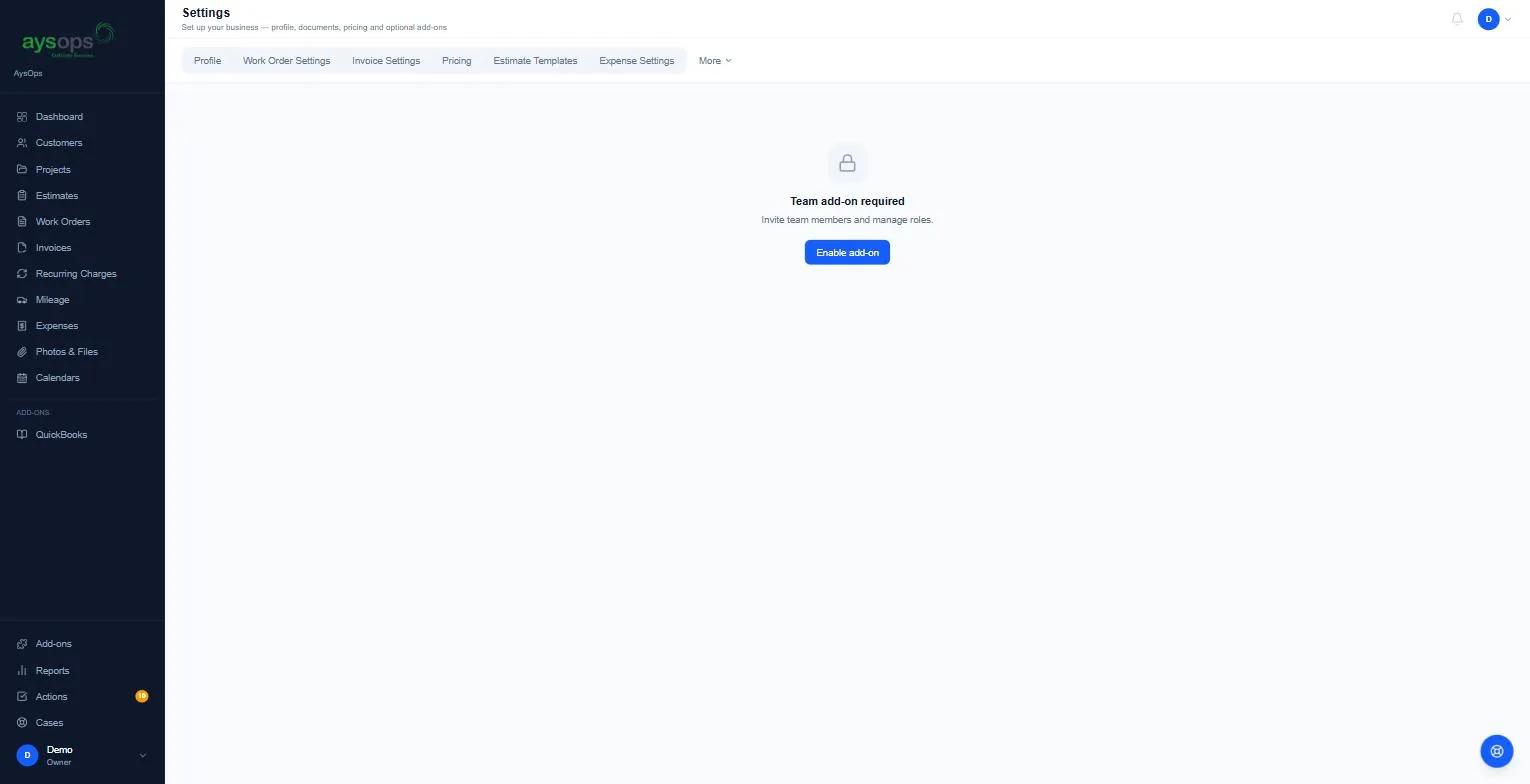
- You need the AysOps Teams add-on. Without it, Settings → Team says “Team add-on required” with an Enable add-on button. See Add-ons.
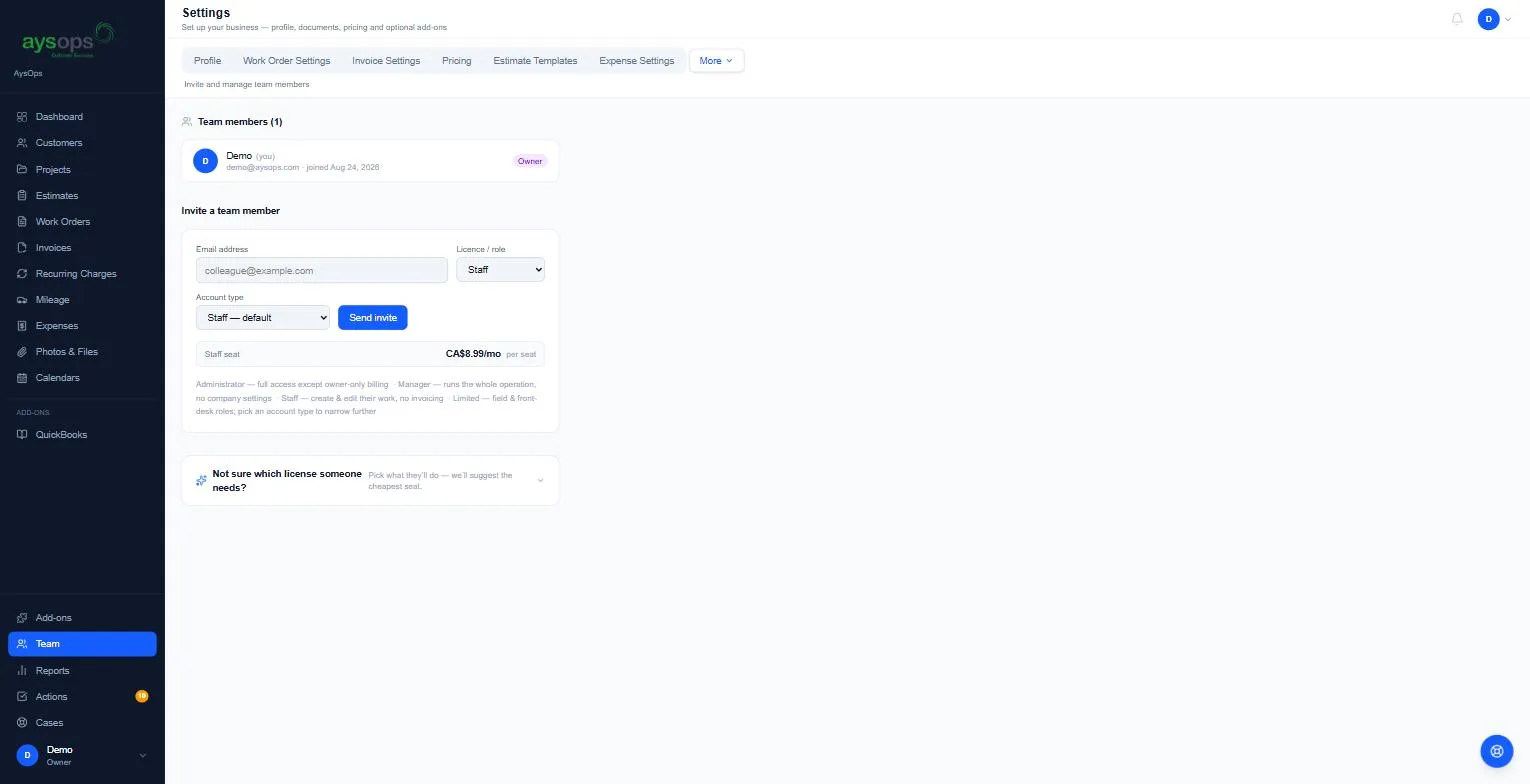
- Click Team in the left menu (or your initial or photo → Settings → More → Team).
- Under Invite a team member (on a wide screen it sits to the right of your team list; on a
smaller screen it is below the list), fill in:
- Email address: where the invitation goes.
- Licence / role: Administrator, Manager, Staff or Limited. See Roles and account types.
- Account type: narrows the role to a job, for example Driver or Receptionist / intake under Limited. Leave it on the default for the role’s standard access.
- The seat’s monthly price is shown under the form and changes with the licence (for example Limited seat · Driver CA$4.99/mo per seat), with a line on what that account type can do.
- Click Send invite.
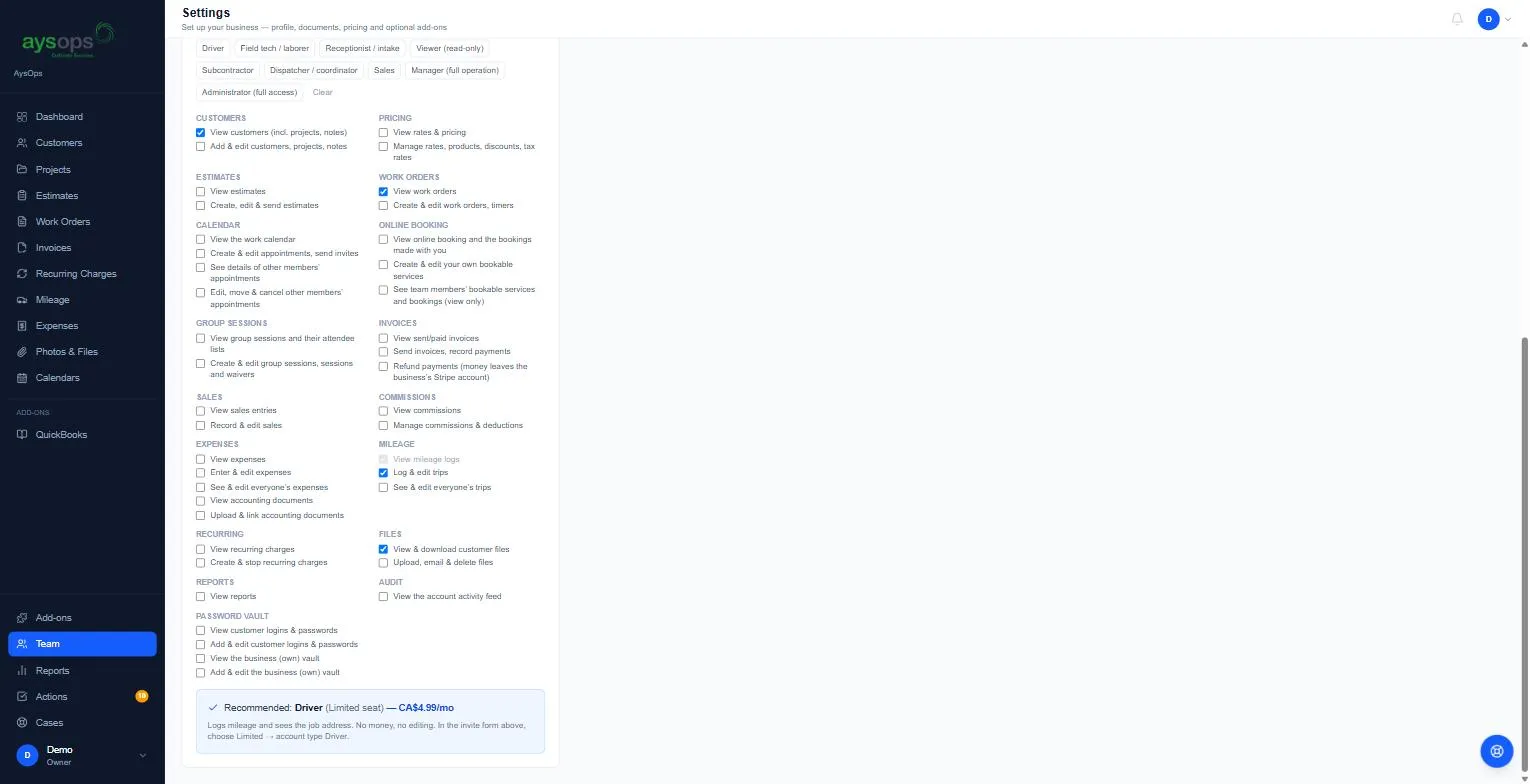
Not sure which licence to pick?
Section titled “Not sure which licence to pick?”Open Not sure which license someone needs? under the form. Click a job type (for example Driver) or tick what the person needs to do, and it recommends the cheapest fit, for example “Recommended: Driver (Limited seat)… choose Limited → account type Driver.” It only advises; nothing changes until you send the invite.
What happens next
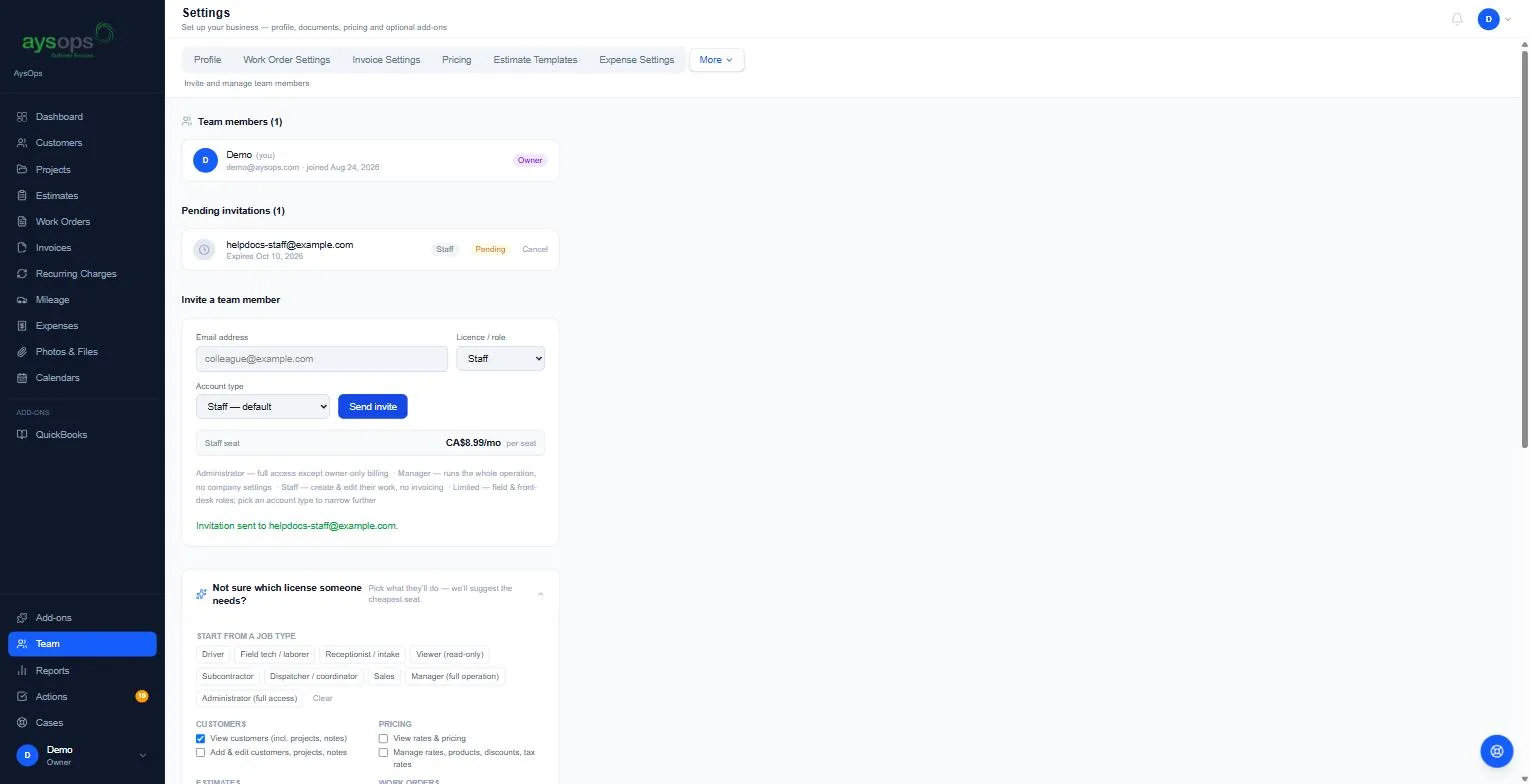
Section titled “What happens next”- You’ll see “Invitation sent to [email].” and the person appears under Pending invitations with their role, Pending, and the date it expires.
- They get an email with a link to join. See Accept an invitation.
- Invitations expire after 48 hours. The row shows Expires [date], and Expired once that has passed. Click Cancel on a pending invitation, then Cancel invitation, to withdraw it; send a new one if needed.
If something goes wrong
Section titled “If something goes wrong”- “An invitation has already been sent to this email address.”: cancel the pending one first.
- They didn’t get the email: check the address and their junk folder, or cancel and invite again.
Related articles
Section titled “Related articles”team, invite, add user, add employee, staff, new user, seat, licence, license, role, account type, pending invitation, cancel invitation, invitation expired